> For the complete documentation index, see [llms.txt](https://docs.duckagi.com/llms.txt). Markdown versions of documentation pages are available by appending `.md` to page URLs; this page is available as [Markdown](https://docs.duckagi.com/duckagi-jie-ru-wen-dang-zhong-wen-ban.md).
# DuckAGI接入文档(中文版)
DuckAGI接入文档
接入方式和OpenAI的一致。[点击前往OpenAI开发者平台](https://platform.openai.com/docs/guides/text-generation/chat-completions-api)
##
## 在官方OpenAI库中使用(python)
```
openai.api_base = 'https://api.duckagi.com/v1'
openai.api_key = 'sk-xxxxxxxxxxx'
messages = [
{"role": "user", "content": "你好"}
]
res = openai.ChatCompletion.create(
model="gpt-4",
messages=messages,
stream=False,
)
print(res['choices'][0]['message']['content'])
```
## DALL-E
```
openai.api_base = 'https://api.duckagi.com/v1'
openai.api_key = 'sk-xxxxxxxxxxx'
res = openai.Image.create(
prompt='Cat'
)
print(res)
```
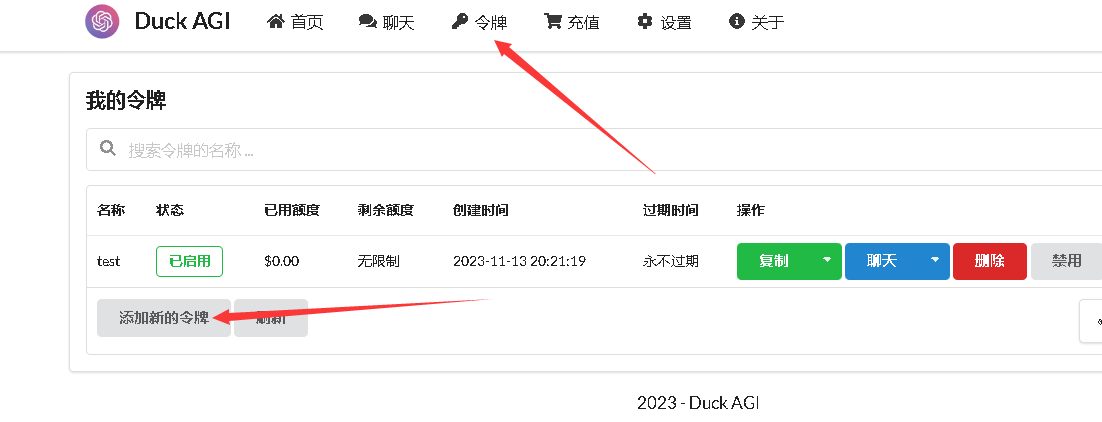
1、生成令牌
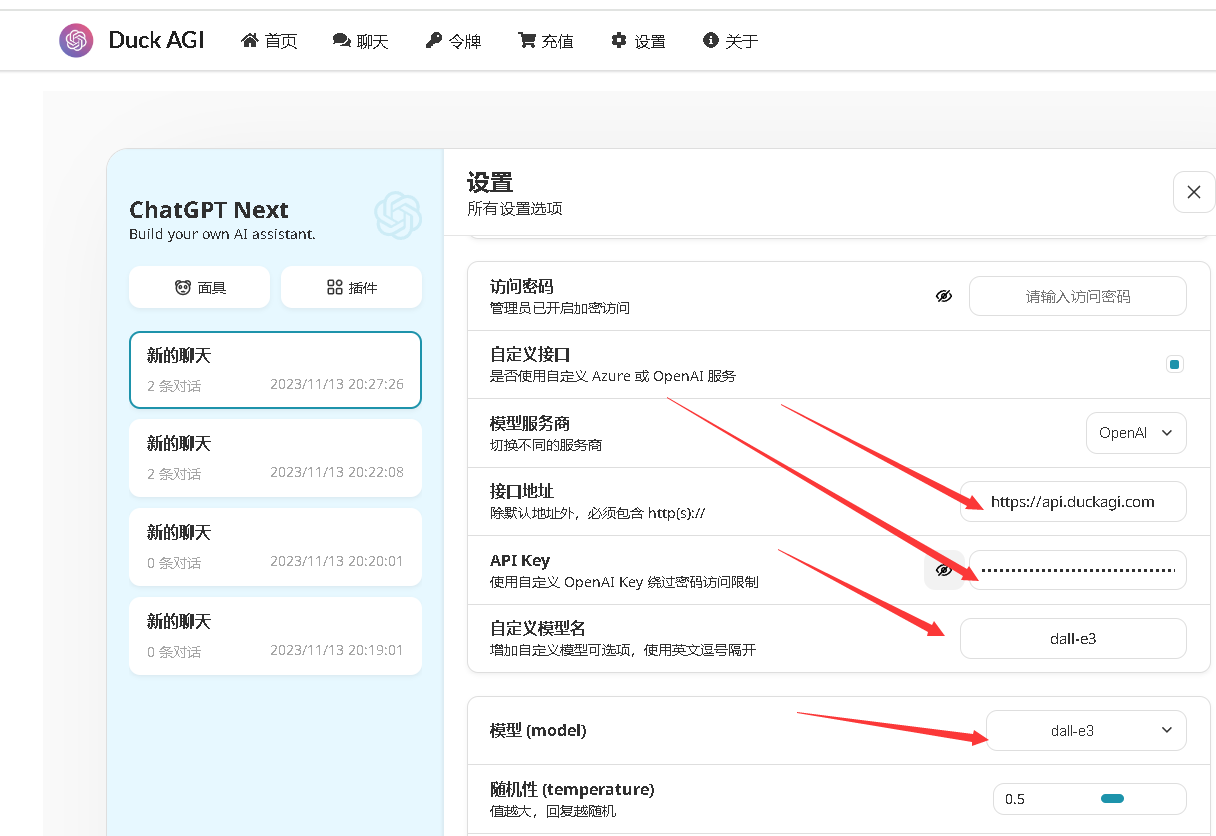
 2.在聊天栏目的设置中填入信息进行测试
 3.成功
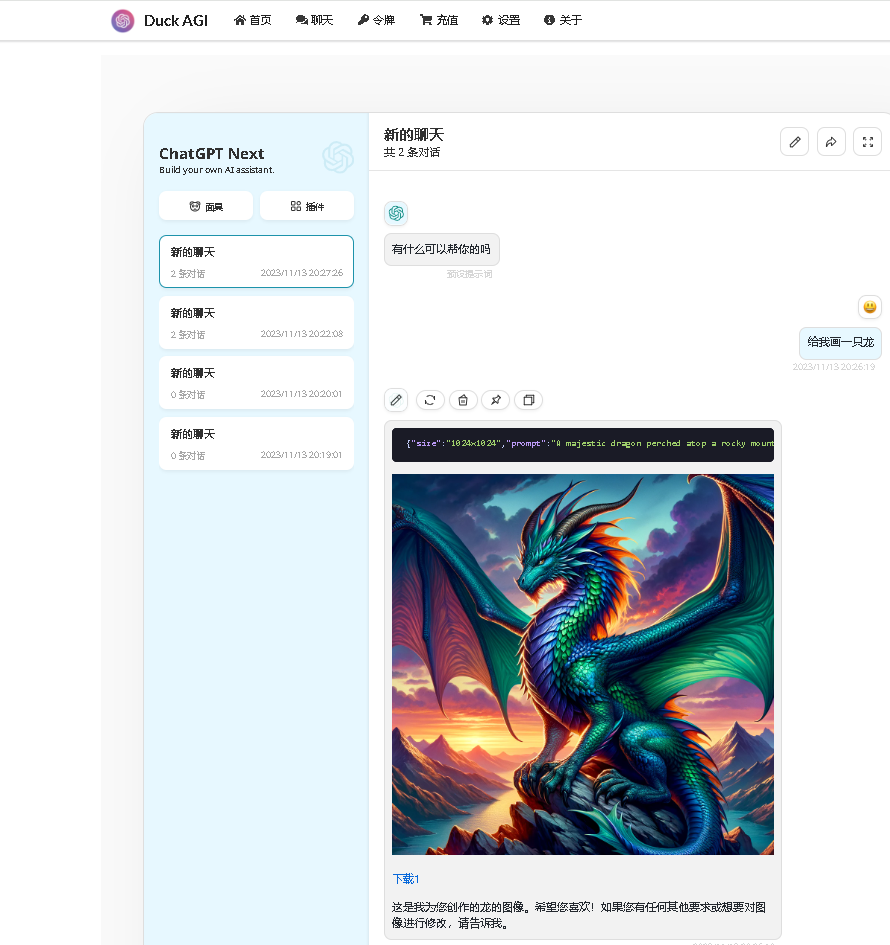
3.成功